Riverr Flow

How Riverr Flow works

Automated release layer for clinical reports.

Riverr Flow is an automated health-screening report generator. When the result set is complete, it assembles the clinic’s own report. A named doctor signs. Then the patient copy is released.

Assemble when the set is complete.

Hold for a named doctor — SPECIMEN until then. Release the patient copy. Employers receive aggregates only (k≥10).

Not a medical device. It copies laboratory flags and doctor decisions. It does not diagnose, triage, or compute a clinical status.

Private pilot with a Singapore health-screening provider.
Private pilot with a Singapore health-screening provider.
What the release layer does

A screening clinic’s report is assembled, not calculated. Results arrive from more than one laboratory. Vitals, biometrics and the doctor’s findings arrive from inside the clinic. Someone has to gather them, check that a package is complete, lay them out in the clinic’s own template, get a doctor to read and sign, then deliver to the patient — and answer the employer who paid for the screening without ever exposing an individual.

Riverr Flow follows that chain. It is the release layer: it turns the results a screening clinic already holds into the clinic’s own report, holds release until a named doctor can stand behind a release record, and delivers patient and employer outputs along paths that refuse release when a decision, a signature or a source is missing.

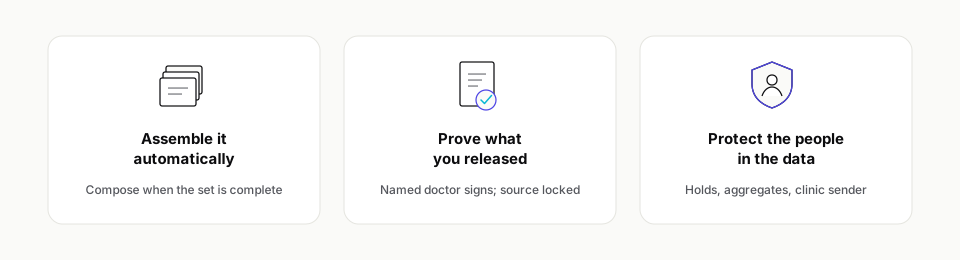
Assemble. Prove. Protect.

Assemble brings the record together. Prove records the checks that show the release is ready. Protect keeps the approved version intact after it is issued.

Three pillars: Assemble it automatically, Prove what you released, Protect the people in the data.
Assemble · Prove · Protect.

Assemble

Results enter by machine. Unmatched messages are quarantined, not admitted. When the set is complete, Care Studio composes the health-screening report in the clinic’s own template. Fifteen minutes is a design and contract target for that assembly — not a measured production result.

  • Results enter by machine.
  • Unmatched messages are quarantined, not admitted.
  • Care Studio uses the clinic’s own template.
  • Fifteen minutes is a design and contract target, not a measured production result.

Prove

A named doctor reads the clinic’s report and signs. Until then every page carries a SPECIMEN watermark. The source is locked before release. A later change does not silently rewrite a document that already left the clinic.

  • A named doctor reads and signs.
  • Every page carries a SPECIMEN watermark until then.
  • The source is locked before release.
  • A later change does not silently rewrite an issued document.

Protect

Critical results leave the automatic path and follow the clinic’s protocol. Holds and risk tiers are configured and signed by the clinic. Patients read their released copy in My Health. Employers use Workforce Health; any group smaller than ten is suppressed (k≥10).

  • Critical results follow the clinic’s protocol.
  • Holds and risk tiers are configured and signed by the clinic.
  • Patients read their released copy in My Health.
  • Employers use Workforce Health; groups smaller than ten are suppressed (k≥10).

From laboratory result to patient copy

The release cycle is explicit end to end. Each step names the control that matters.

  1. 01Results arriveMachine feeds from laboratories and the practice-management system, or a checked CSV as the human fallback. Every message is bound to a patient and a screening; duplicates are detected; anything that does not match is quarantined rather than admitted. Specific supplier names are not listed on this page.Source-backed
  2. 02Clinic data joins themVitals and biometrics, the doctor’s typed findings and commentary, imaging and investigation attachments enter the same screening record.Configured
  3. 03Completeness and safety are checkedExpected markers for the package, mapping profile and a signed plausibility policy. Incomplete, unmapped, critical or unsigned-policy cases are held, not generated.Guarded
  4. 04The report is generated automaticallyA scheduled job composes the admission, renders the clinic’s template and records time from the last required result to a durable artifact in the review queue. The target is 15 minutes — a design and contract target, not a measured production result.Target
  5. 05The source is lockedBefore release, results must be finalised. If the source changes later, the platform says so and offers a regeneration path; it never silently rewrites a document that has already been released.Source-backed
  6. 06A doctor reviews itToday’s queue, the report at reading width, hold reasons, the patient note. Critical cases open a separate protocol screen with the laboratory’s own flag and the verified contact route.Review path
  7. 07A named doctor signs and releasesThe reviewed document is kept as evidence; the signature is verified against a clinic signing register; a signed copy is rendered and bound in one atomic step. Until then every rendered page carries a SPECIMEN watermark.Release path
  8. 08The patient receives itMy Health shows the released report and its PDF; email and SMS carry the link under the clinic’s sender name. Withheld critical content stays withheld across web, PDF, export and message. Patient delivery stays closed until the release chain is accepted.Release path
  9. 09The employer gets the aggregateOnly signed, released reports enter the cohort. The aggregate is computed and suppressed in the database at a minimum group size of ten; every printed number is bound back to its cell before admission; unapproved content stays empty. Corporate publication of the served document follows the privacy floor.Source-backed
  10. 10Money and portability followMonthly corporate statements and invoice issuance are source-backed. FHIR R4 export of released reports supports portability scoped to what was released. A delivery dashboard is not claimed as available on this page.Portability

Connection note. Laboratory and clinic-system connections are agreed in the pilot. This page does not list suppliers.

How an automated health-screening report is released

Screens use fictional demonstration data (Tembusu Health), not a customer deployment.

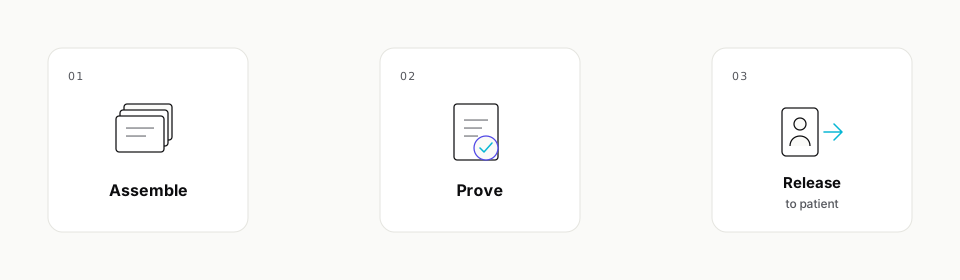
At a glance: 01 Assemble, 02 Prove, 03 Release to patient.
At a glance
  1. 01 · Assemble

    Today’s queue is ready for review.

    When the package set is complete, Care Studio builds the health-screening report into the review queue. The doctor opens on what is waiting.

    Care Studio today’s queue with summary counters, critical banner area, and review list. Demonstration clinic.
    Care Studio — today’s queue and what waits for review.
  2. 02 · Prove

    Named doctor reads and signs.

    The doctor reads the clinic’s own report at reading width. Pages stay SPECIMEN until signed. The source is locked before release.

    Care Studio review workspace with page thumbnails, report viewer, and signing bar. Demonstration clinic.
    Care Studio — review workspace and signing bar.
  3. 03 · Protect

    Patient copy and employer aggregates.

    The patient reads the released report in My Health. Workforce Health shows aggregates only. Groups smaller than ten are suppressed.

    Patient copy and employer aggregates

    My Health phone report with greeting, result summary, and signed doctor note. Demonstration clinic.
    My Health — patient report on phone.

What it is not

Clear boundaries for medical directors and procurement. Riverr Flow refuses to invent clinical meaning.

How clinics start

Private pilot. Guided go-live checklist. Riverr Flow is in a private pilot with a Singapore health-screening provider. Guided go-live uses a checklist with named owners — sites, brand and senders, laboratory feeds, report design, package mapping, patient sign-in, doctors verified.

Pricing is provided in a conversation — not on this page. No end-customer portal is listed here. We do not publish customer logos, volumes or benchmarks.

Screening reports the clinic can prove

If you run health screenings and need a release layer — not another spreadsheet of laboratory PDFs — start with Riverr.